Creative Tests
The creative test's dashboard allows you to define targets and easily see whats working among your new creatives.
Written By Zach Murray
Last updated Over 1 year ago
How to use Creative Tests in Lens
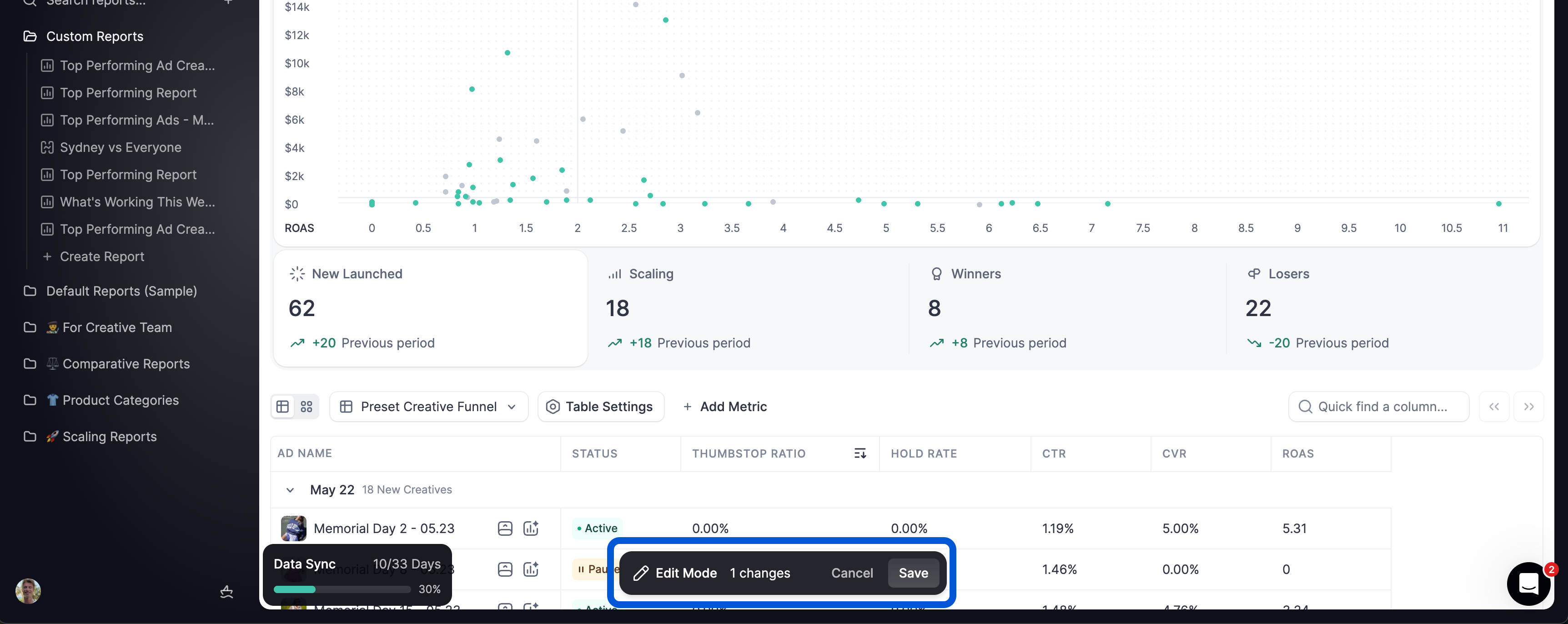
Use Creative Tests to see all of your ad creative performance from a birds eye view, plotted on a scatter chart and divided into performance quadrants.
Set targets
Update timeframe
Identify losing, scaling and winning ads
View ad creative launches by date
Analyze and iterate on winners
Setting Targets
The Creative Tests tab in Lens helps you turn creative experimentation into a repeatable system. Setting the right targets is critical to identifying winners, scaling efficiently, and minimizing waste.
1. Launch Window
Why: Focus on recent launches to evaluate fresh performance signals.
Recommended setting:
Last 14 daysThis keeps your data current and ensures you’re evaluating ads that are still in their early test phase.
2. Define a Scaling Metric
Why: Determines which ads have been given enough budget to be considered for scale.
Recommended metric:
Spend > $100You can adjust this threshold depending on your budget.
3. Define a Winning Metric
Why: Establishes clear criteria for what qualifies as a "winner" among scaled ads.
Recommended metrics:
ROAS, CPL, CPC etc.Example:
Scaling metric: Spend > $100
Winning metric: ROAS ≥ 1.5
4. Define Losers
Why: Easily identify concepts or styles that should be avoided in the future. You can learn as much from your losers as your winners.
ℹ️ For your “Targets” in Creative Tests to persist ensure you click “Save” after making changes to your targets.
Was this helpful?
Still need help? Share an idea