n8n Integration
Learn how to connect the Foreplay API to be used in an N8N workflow.
Written By Zach Murray
Last updated 12 months ago
Creating a Node & Connecting Foreplay
n8n offers infinite possibilities for creating, managing and sharing workflows. Here’s how you can start using Foreplay data in n8n.
Create a HTTP request node
Set “METHOD” to “GET”
Set “URL” to your Endpoint URL (Learn how to build an endpoint url below)
Quick-start N8N template (JSON)
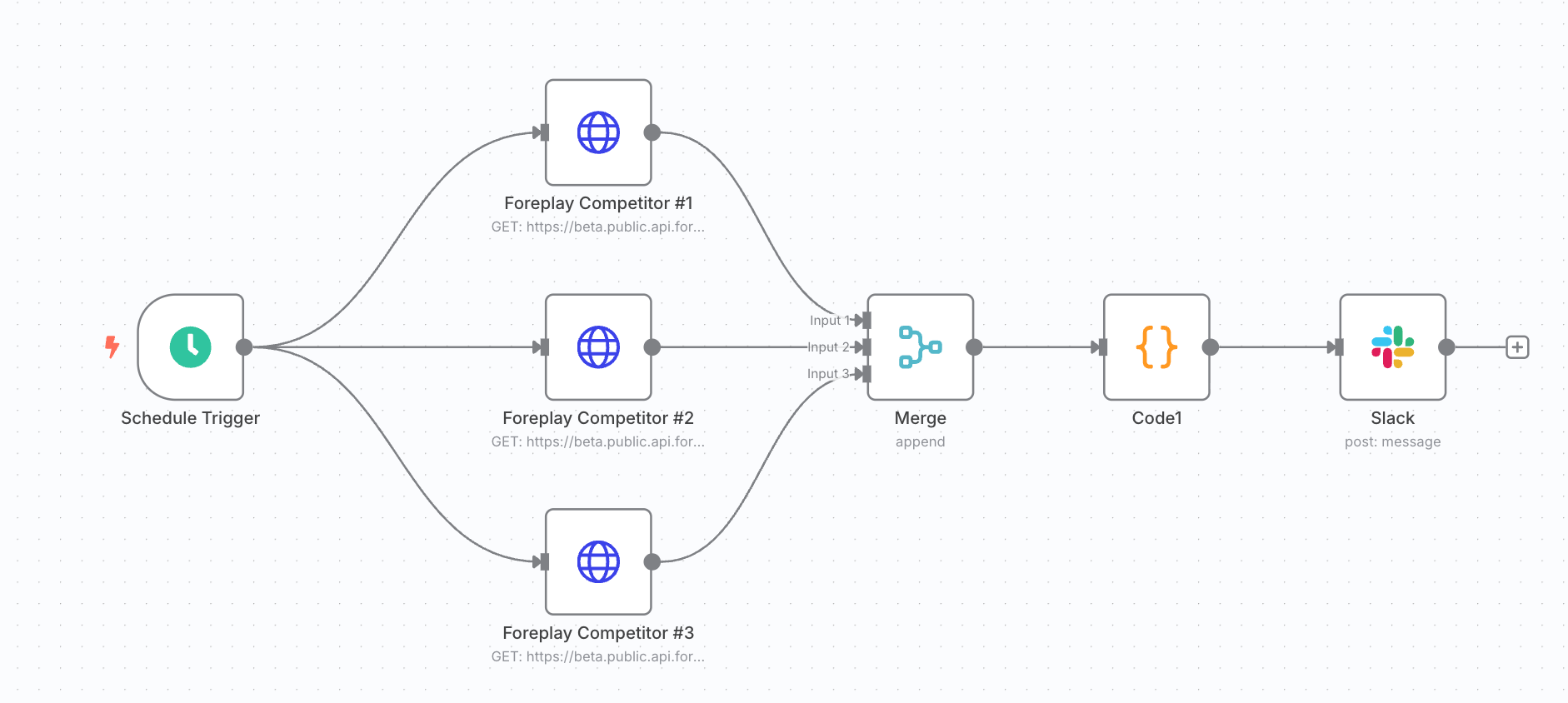
Want to get started quickly and easily? Open this JSON in N8N and update the Authorization header with your API key.
🚨 Important: This workflow will not work without your API key.
Foreplay_Automatic_Competitor_Analysis.json
10.8 KB• Text
Customize this N8N automation 👇
Update auth headers with your API key to make this functional (Required)
Update brand_ids to change which brands are being tracked (Optional)
Update the Slack node to connect to your Slack channel (Required)